
Guess It · knowledge format, 6 designs in 5 themes
A trivia quiz Short generator with checked photos
Guess It is a trivia quiz Short generator that builds the whole quiz. Type a place, or nothing, and Viducia AI picks famous landmarks, cities or natural wonders, checks every photo, writes the questions from verified facts, and draws each round in one of six animated designs with a countdown, a reveal and a final score.
- Checked pictures
- Countdown and reveal
- Six designs
Geography, travel and “can you guess” channels that want a steady stream of quiz Shorts.
The cut, frame by frame
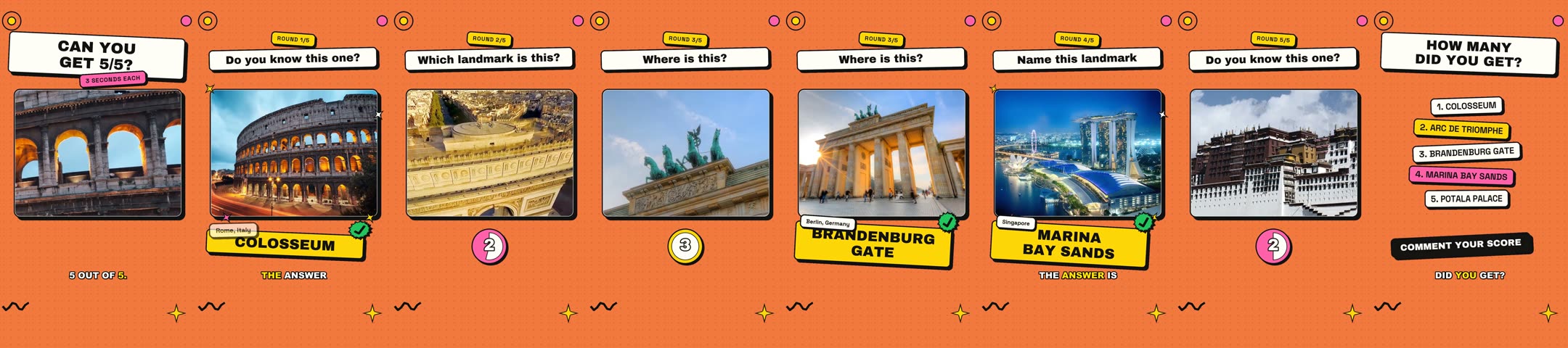
Eight frames from the real render, left to right0:00 to 0:44
What you type
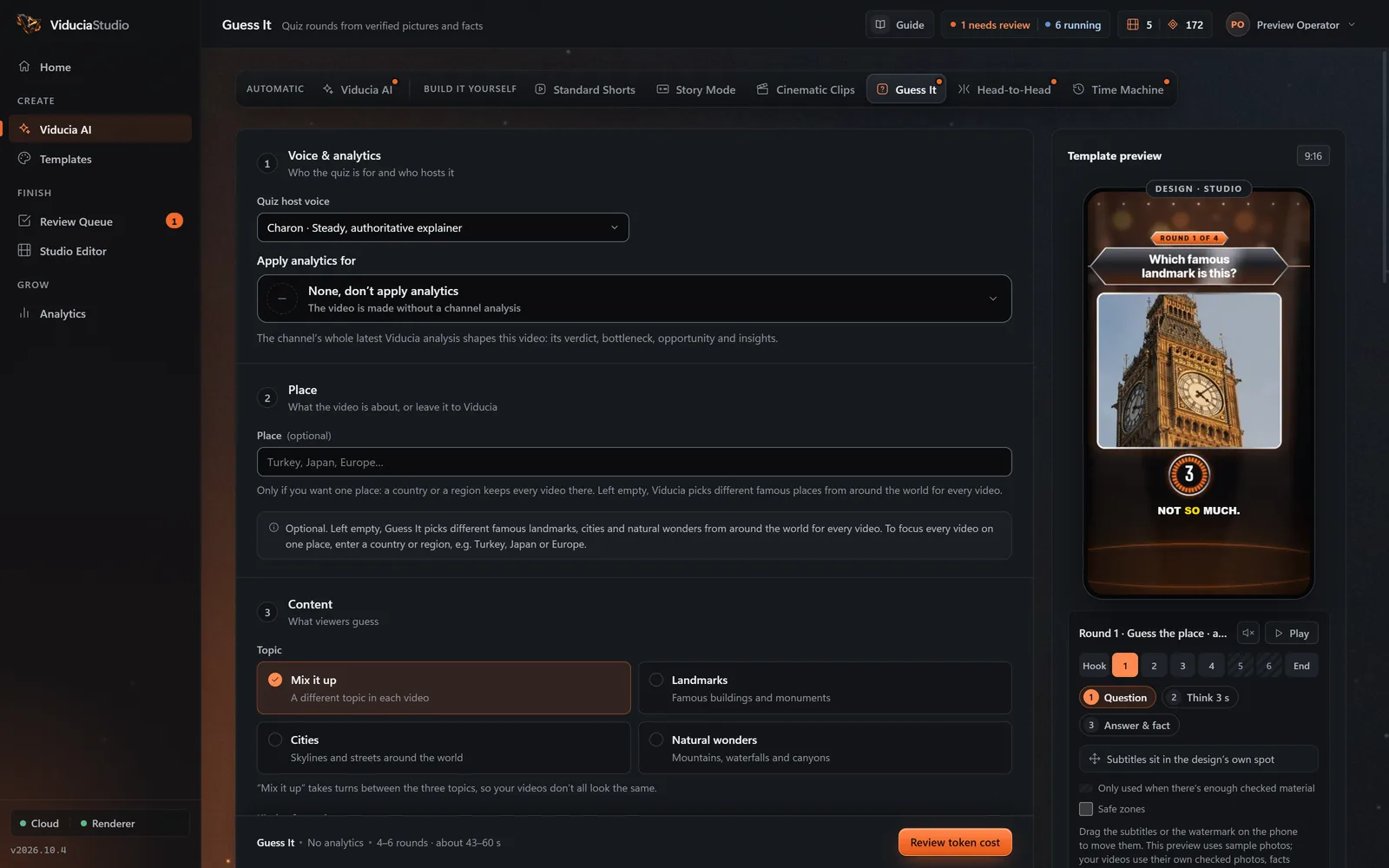
One optional box. Fill it to steer every video, or leave it empty and let Viducia choose.
- Field
- Place (optional)
- For example
- Turkey, Japan, Europe…
- Left empty
- Famous places from around the world
What else you set
Saved once in a template, then used for every video. Narrator, captions, music and watermark work the same way in every format.
- Topic
- Mix it up · Landmarks · Cities · Natural wonders
- Difficulty
- Automatic · Easy · Easy to hard · Hard
- Rounds
- 3 to 8, as a range
- Thinking time
- A 2 to 6 second countdown
- Answers
- Viewers say it, or multiple choice with A, B and C
- Units
- Metric, imperial, or both
What Viducia does
The steps the app’s live build view shows while your Guess It video is made. You approve the price before the first one; if any step fails, the video and its tokens come back.
-
Setup
Reads your template: place, topic, kinds of round, difficulty, design, theme and narration level.
-
Quiz plan
Works out the number of rounds from the length and thinking time, and picks famous places from Wikidata that this account has not used in 120 days.
-
Rounds
Finds photos on Wikimedia Commons and the web, checks each one clearly shows the place with no text that gives the answer away, and swaps any round that fails.
-
Voice
Writes every line from verified facts only, checks nothing gives the answer away early, and voices it with word timings.
-
Scenes
Renders each round as an animated scene in your design and theme: question, countdown, reveal and answer card.
-
Sound
Adds the design’s own sound cues, such as ticks, the lock-in and the reveal sting, and a music bed.
-
Assembly
Adds captions and your watermark, checks the plan once more, and sends the quiz to your Review Queue.
What the finished video looks like
30 to 60 seconds, set by the voice and the number of rounds. Vertical 9:16, rendered at 1080 × 1920 by default.
- Hook about 2.5 s
- Round 1
- Round 2
- Round 3
- Round 4
- Round 5
- Score comment yours
- Each round
- Question, countdown, reveal flash and pull-out to the full photo, then the answer and an optional fun fact
- Ending
- “How many did you get?” with every answer listed, then “Comment your score”
- Captions
- Word-timed, in the design’s own caption lane
- Prompts
- None: the designed ending card does that job
Where the facts and photos come from
Places and facts from Wikidata, photos from Wikimedia Commons, each one checked.
- Places and numbers come only from referenced Wikidata statements, sanity-checked before use.
- Photos come from Wikimedia Commons and a web picture search; stock sites, maps, logos and drawings are filtered out.
- One batched AI check confirms each photo shows the place, with no collage, watermark or overlaid text.
| Source | What it provides | On record |
|---|---|---|
| Wikidata | Famous places, heights, populations, elevations and fun facts, from referenced statements only | CC0 data |
| Wikimedia Commons | Photos of each place, checked before use | The file’s page, kept with the project |
| Web picture search | Extra photo candidates, through the same checks | The source page, kept with the project |
Six designs, five themes
Each design is a full art direction with its own type, motion and sounds. Switching designs never changes the facts, the narration or the pacing. Press play on any of them to watch its sample with sound.
-
StudioDefault
Primetime quiz show: spotlights, LED countdown, answer panels.
-
Editorial
Explainer page: taped prints, serif type, highlighter, red marker.
-
Sticker
Neo-pop stickers: thick outlines, hard shadows, bouncy motion.
-
Signal
Swiss station modernism: exposed grid, railway-clock countdown, knife wipes.
-
Mission Control
Flight console: engraved panels, T-minus window, lock confirms.
-
Darkroom
Safelight room: prints develop in the tray, drying-line scoreboard.
Design samples are template previews at 360 × 640 with a stand-in narrator and no captions; the app adds captions, your watermark and your narrator in the real video.
Five colour themes
Every design takes every theme. The theme sets the design’s main colour.
- Ember Default for Guess It
- Electric
- Mint
- Sunset
- Gold
Narration levels
How much the narrator says. Captions follow the voice.
- Everything
- Hook, questions, answers and fun facts
- Key lines
- Hook, questions and answers
- Off
- No voice, just music and sound effects
Round types
Questions about Guess It
More in the full FAQ, including videos and tokens.
What kinds of rounds are there?
Guess the place, Which is bigger? and Odd one out. Pick one to three kinds for a template; Guess the place starts on a close-up clue and pulls out to the full photo.
Can every quiz be about one country?
Yes. Type a country or a region, such as Japan or Europe; a city counts as its country. Left empty, every video picks different famous places from around the world.
How are the answers checked?
Numbers and fun facts come only from referenced Wikidata statements, every photo is checked, and the plan is checked for repeated answers and places outside your topic before anything is voiced.
Can viewers answer by multiple choice?
Yes. Choose Viewers say it for an open answer, or Multiple choice for A, B and C options on screen.
Build a Guess It template
Open the Template Studio on Guess It, shape the look and sound on a live phone, and save it to a free account. Every Guess It video then uses one video from your weekly allowance.