
Time Machine · knowledge format, 6 designs in 5 themes
A then-and-now history Short maker with dated archive photos
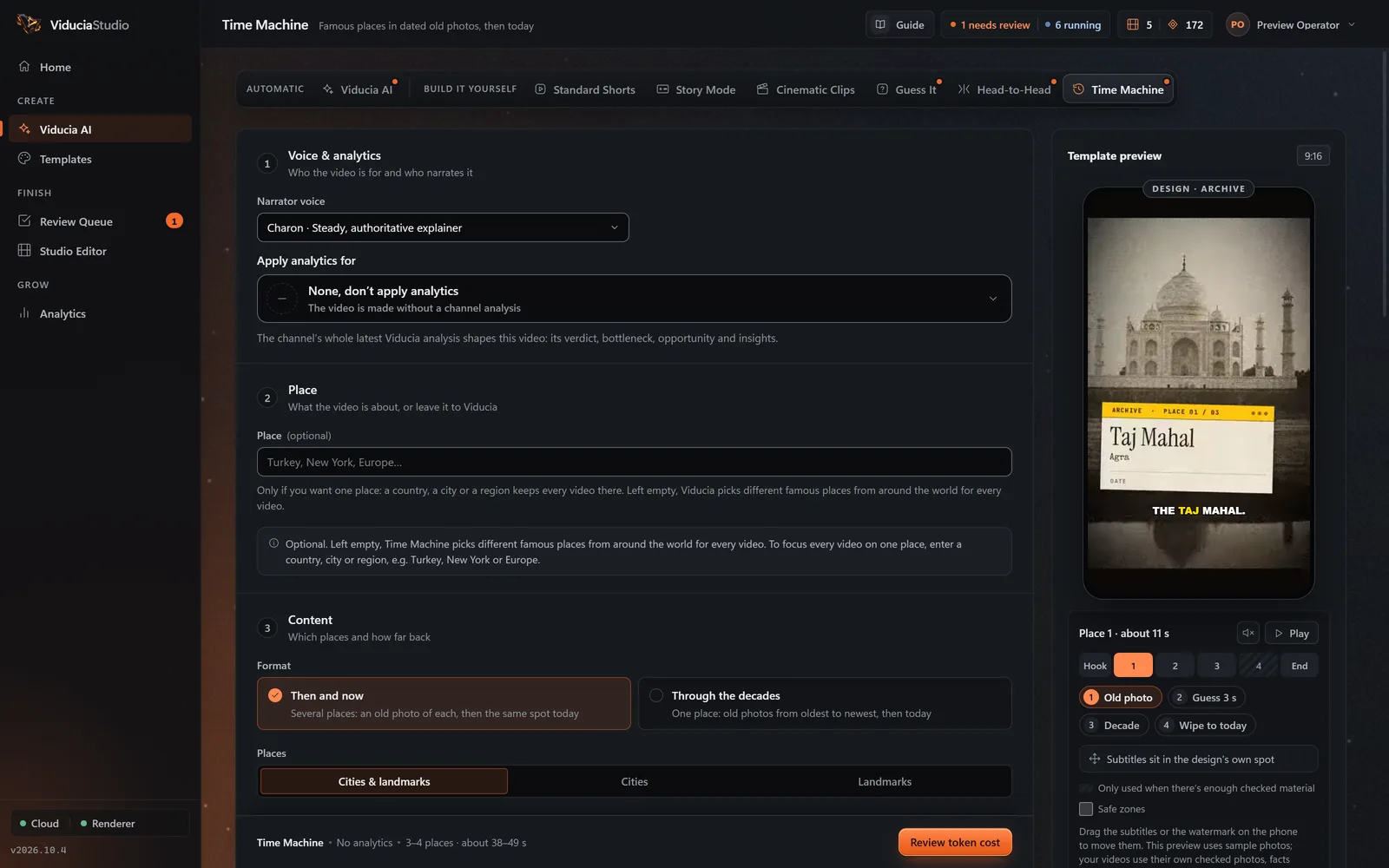
Time Machine is a then-and-now history Short maker. Viducia AI finds famous places, keeps only old photos whose own captions give their year, asks viewers to guess the decade, then wipes to a photo of the same spot today. Or it follows one place through the decades, in one of six designs.
- Dated archive photos
- Guess the decade
- Then-and-now wipe
History, nostalgia, city and travel channels.
What you type
One optional box. Fill it to steer every video, or leave it empty and let Viducia choose.
- Field
- Place (optional)
- For example
- Turkey, New York, Europe…
- Left empty
- Famous places from around the world
What else you set
Saved once in a template, then used for every video. Narrator, captions, music and watermark work the same way in every format.
- Format
- Then and now, or Through the decades
- Places
- Cities and landmarks · Cities · Landmarks
- Difficulty
- Automatic · Easy · Easy to hard · Hard
- How old the photos are
- From the 1840s to the 2000s, at least 20 years apart; 1880s to 1970s by default
- Guess the decade
- An optional 3-second countdown before each decade
What Viducia does
The steps the app’s live build view shows while your Time Machine video is made. You approve the price before the first one; if any step fails, the video and its tokens come back.
-
Setup
Reads your template: place, then and now or through the decades, the era range, design and theme.
-
Archive
Finds places on Wikidata that still stand and date from 1995 or earlier, then searches Wikimedia Commons and the web for old photos of each.
-
Eras
Keeps an old photo only when its own record names a year in your era, the place existed then, and an independent AI estimate agrees within 15 years. Then picks a modern photo taken from close to the same spot.
-
Voice
Writes the lines from the checked places and decades and voices them with word timings.
-
Scenes
Renders the old photo, the guess-the-decade countdown, the decade stamp and the wipe to today in your design.
-
Sound
Adds the design’s sound palette, such as a projector or a film burn, and a music bed.
-
Assembly
Adds captions and your watermark and sends the video to your Review Queue.
What the finished video looks like
30 to 60 seconds, with 2 to 6 places or 3 to 6 photos. Vertical 9:16, rendered at 1080 × 1920 by default.
- Hook
- Place 1 then, guess, now
- Place 2
- Place 3
- Outro pick an era
- Each place
- The old photo with a question, a 3-second countdown, a decade stamp, then the wipe to today
- Decades
- Viewers see the decade, never an exact year, so a photo is never over-dated
- Through the decades
- One place from its oldest photo to its newest, then today
- Prompts
- None: the outro asks “Which era would you visit?”
Where the facts and photos come from
Places from Wikidata, old photos from Wikimedia Commons dated from their own captions.
- Each old photo’s own record must give its year, inside your era to within 5 years.
- At most 30 AI picture checks per video; a place that fails is replaced by one of the same fame.
- Print shops and framed-print mockups are rejected.
| Source | What it provides | On record |
|---|---|---|
| Wikidata | Places that still stand and date from 1995 or earlier | CC0 data |
| Wikimedia Commons | Old photos dated by their own records, and photos of today | The file’s page, kept with the project |
| Web picture search | Extra candidates; print shops and framed mockups are rejected | The source page, kept with the project |
Six designs, five themes
Each design is a full art direction with its own type, motion and sounds. Switching designs never changes the facts, the narration or the pacing. Press play on any of them to watch its sample with sound.
-
ArchiveDefault
Documentary: typed archive card, film countdown, film burn.
-
Scrapbook
Prints taped to a desk, handwriting, a Polaroid of today.
-
Slider
Clean before-and-after slider, rolling decade, timeline.
-
Travel Poster
Golden-age posters: flat litho colour, print-roller wipe to today.
-
Atlas
Survey sheets: triangulated countdown, plate revisions, satellite today.
-
Strata
The dig: era layers in a trench wall, trowel reveals, a surface of today.
Design samples are template previews at 360 × 640 with a stand-in narrator and no captions; the app adds captions, your watermark and your narrator in the real video.
Five colour themes
Every design takes every theme. The theme sets the design’s main colour.
- Ember
- Electric
- Mint
- Sunset
- Gold Default for Time Machine
Narration levels
How much the narrator says. Captions follow the voice.
- Everything
- Places, decades and the jump to today
- Key lines
- Places and questions
- Off
- No voice, just music and sound effects
Format
Questions about Time Machine
More in the full FAQ, including videos and tokens.
How are the old photos dated?
A photo is used only when its own record names a year inside your era, give or take 5 years, the place already existed then, and an independent AI estimate agrees within 15 years. Viewers see the decade, never an exact year.
What is the difference between Then and now and Through the decades?
Then and now shows several places, each in one old photo and then today. Through the decades follows one place from its oldest photo to its newest, then today.
Can I choose the era?
Yes. Pick decades from the 1840s to the 2000s, at least 20 years apart. New templates start at the 1880s to the 1970s.
Does today’s photo match the old one?
Viducia keeps only photos that look modern, then an AI check picks the one taken from closest to the old photo’s viewpoint, so the wipe lands on the same scene.
Build a Time Machine template
Open the Template Studio on Time Machine, shape the look and sound on a live phone, and save it to a free account. Every Time Machine video then uses one video from your weekly allowance.