
Standard Shorts · footage format
The faceless YouTube Shorts maker that cuts real footage
Standard Shorts is the faceless YouTube Shorts maker for explainer and commentary channels. Type a topic, or nothing at all, and Viducia AI researches it, writes an original script, has your narrator read it, and cuts it over real clips from different YouTube videos, with pictures landing on the words that name them.
- Your narrator
- Real footage
- Pictures on the beat
Science, history, finance, tech, games and news channels that run without a face on camera.
The cut, frame by frame
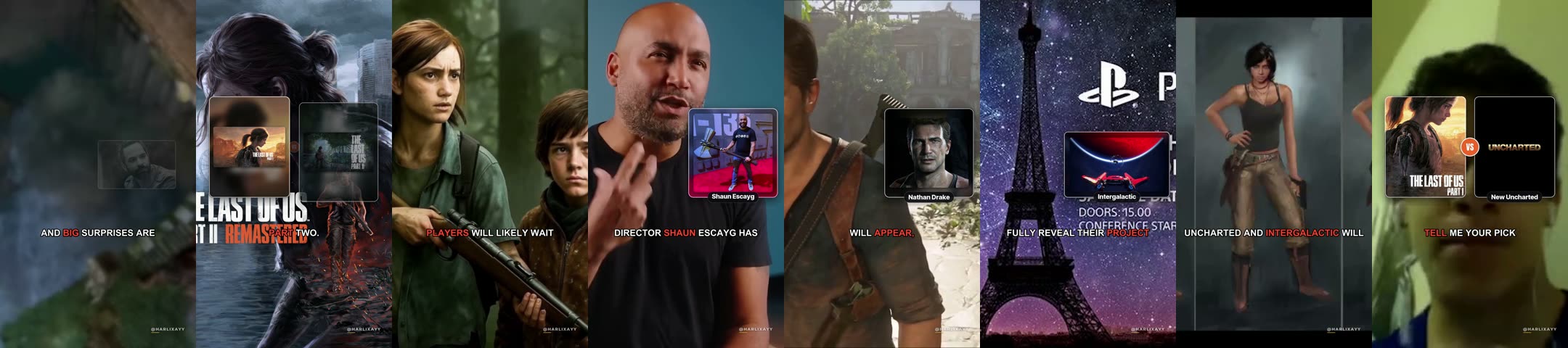
Eight frames from the real render, left to right0:00 to 0:57
What you type
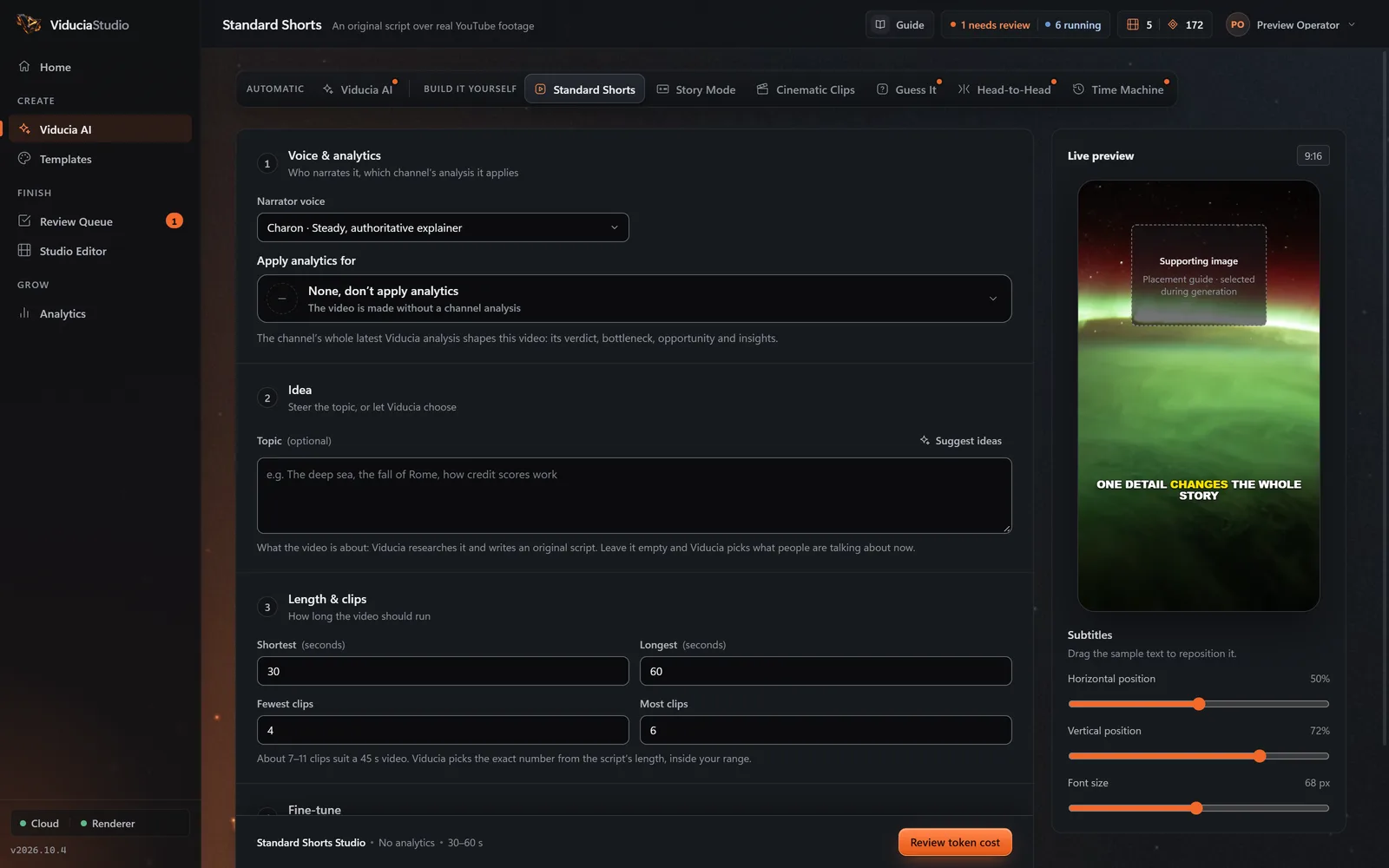
One optional box. Fill it to steer every video, or leave it empty and let Viducia choose.
- Field
- Your topic (optional)
- For example
- Space, history, personal finance…
- Left empty
- Viducia picks what’s trending
What else you set
Saved once in a template, then used for every video. Narrator, captions, music and watermark work the same way in every format.
- Tone
- Curious, punchy · calm, authoritative · funny, irreverent · dramatic, suspenseful · warm, friendly · fast, hype, or your own brand voice
- Length
- 10 to 180 seconds, with presets from 15–30 to 60–120
- Clips per video
- 1 to 20; the studio marks the range that suits your length
- Pictures
- On or off, 0 to 10 per video, and their size
- Engagement prompts
- Up to two per video, in a Glass or Bright skin
- Footage search words
- Optional words that steer the YouTube search
What Viducia does
The steps the app’s live build view shows while your Standard Shorts video is made. You approve the price before the first one; if any step fails, the video and its tokens come back.
-
Setup
Reads your template: narrator, captions, music, length, and any direction you typed.
-
Research
With a topic, searches YouTube for source videos and their transcripts. With none, picks one fresh story from today’s trends and a news search.
-
Script
Writes one main point in plain spoken English. The hook must score 65 out of 100, and every claim is checked against its sources.
-
Footage
Searches each beat on YouTube, scores storyboard frames for the subject, skips sponsor reads and intros, and downloads only the window it needs.
-
Edit plan
Sets about one clip every 5 to 7.5 seconds, lands cuts on sentence ends, and gives each beat a camera move.
-
Voice
Your narrator reads the script with planned pauses before the turn and the payoff. Word timings are measured for the captions.
-
Prompts
Places up to two engagement prompts near the end, pressed on the spoken action word.
-
Pictures
Finds about one picture for every 13 seconds and checks each one shows the named subject, with no watermark or added text.
-
Beats
Builds up to six callouts for the numbers and names in the script, counting up in the caption highlight colour.
-
Sound
Chooses a music bed from the library and places sound effects on exact phrases.
-
Assembly
Compiles one timeline, checks caption sync, clip count, distinct sources and pictures, then sends the project to your Review Queue.
What the finished video looks like
50 to 80 seconds by default; any length from 10 to 180 seconds. Vertical 9:16, rendered at 1080 × 1920 by default.
- Hook
- Context
- Beats 2 to 4
- Ask optional
- Turn
- Payoff
- Close a question
- Cuts
- A new clip every 5 to 6 seconds, each from a different video and cropped on the subject
- Pictures
- One, side by side, versus, a sequence or a then-and-now wipe, on the exact word
- Captions
- Word-timed, in one of 12 looks; callouts take over while a number is on screen
- Sound
- Footage sound kept low under the narrator, a quiet music bed and timed effects
Where the footage comes from
10 to 14 clips from different YouTube videos, plus checked pictures for the key lines.
- Each clip is stored with its YouTube URL, title, channel and the exact time span used.
- Pictures come from Wikimedia Commons and a web picture search, and their source is recorded.
- No AI-generated images: every picture is a real photo, checked by AI for the right subject.
How the source is transformed
A Standard Short is new work. Your script and narrator carry every second, and the footage illustrates what is said: the shape of commentary, built in from the first step.
An original script and narration lead every second
Clips are short excerpts from many different videos, never one long run
Pictures, captions and cuts are added on top
Every source clip and picture is recorded with the project
Questions about Standard Shorts
More in the full FAQ, including videos and tokens.
What happens if I leave the topic empty?
Viducia reads today’s trends, from the Google Trends daily feed and a news search, and picks one fresh story. It skips sports fixtures, obituaries, private tragedies and partisan politics.
How many clips does a Standard Short use?
About one clip every 5 to 7.5 seconds, each from a different YouTube video: 10 clips for a 50-second Short, 12 for 65 seconds and 14 for 80. You can set anything from 1 to 20.
Are the facts in the script checked?
Yes. Every claim is checked against the source material, up to three attempts. If it still fails, the job stops and your video and tokens come back.
Where do the pictures come from?
From Wikimedia Commons and a web picture search. An AI check confirms each picture shows the named subject, with no watermark or added text, and its source is recorded. No AI-generated images are used.
Build a Standard Shorts template
Open the Template Studio on Standard Shorts, shape the look and sound on a live phone, and save it to a free account. Every Standard Shorts video then uses one video from your weekly allowance.